Schedule the real season
Check recurring practices, one-time games, tournaments, locations, arrival details, and changes to individual events.
 Teamnest Pro
Sports scheduling guide
The best app depends on your roster, sport, parent workflow, and budget. This guide gives coaches a practical checklist for comparing free sports team scheduling apps, then shows where Teamnest fits.
The short answer
A useful free sports team scheduler should keep practices, games, availability, parent communication, and last-minute changes connected. A long feature list matters less than whether every person can find the current plan and respond quickly.
Check recurring practices, one-time games, tournaments, locations, arrival details, and changes to individual events.
Make sure players and parents can answer quickly, while coaches can see who is going, maybe, not going, or still unanswered.
Look for reminders and team messaging so a schedule change does not disappear in a separate group chat.
Comparison checklist
| What to compare | Why it matters | What to verify |
|---|---|---|
| Free-plan limits | Small teams need to know when a plan stops being free. | Teams, members, events, storage, and AI limits. |
| Practices and games | Sports schedules mix recurring and one-time events. | Recurrence, locations, arrival times, and single-event edits. |
| Availability | Coaches need attendance context before game day. | Going, Maybe, Not Going, unanswered status, and reminders. |
| Parent invitations | Families should be able to join without a long setup. | Email invitations, QR codes, account requirements, and roles. |
| Communication | Updates should reach the people affected by a change. | Team messages, direct messages, notifications, and rich attachments. |
| Calendar access | Families often manage several schedules. | List, week, month, day, and Google Calendar sync options. |
Where Teamnest fits
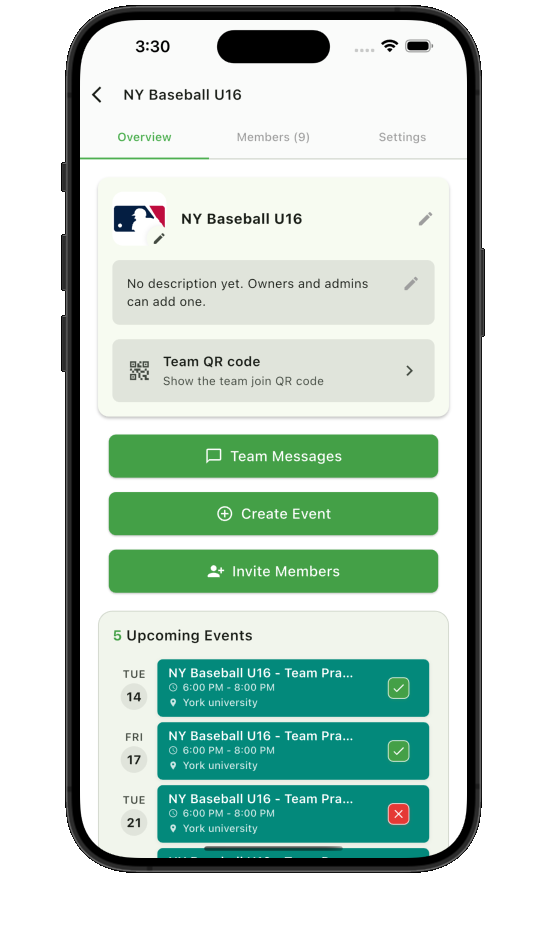
Teamnest’s Free plan supports up to 3 teams, 10 members per team, and 100 events per month per team. It includes recurring events, availability responses, reminders, invitations, team messages, and calendar views.
Questions coaches ask
Look for practices and game scheduling, recurring events, RSVP or availability tracking, parent and player invitations, reminders, team messaging, calendar sync, and clear free-plan limits.
Teamnest has a Free plan that supports up to 3 teams, 10 members per team, and 100 events per month per team.
There is no single best app for every team. The right choice depends on roster size, parent access, attendance workflow, messaging needs, calendar sync, and free-plan limits.